


Learn how to bridge USDC to Solana


USDC is a digital dollar-backed stablecoin used in the crypto space. It combines the reliability of US dollars with the dynamic capabilities of digital currency, making it a popular choice for transactions within the Solana network. USDC is similar to using a dollar in real life: for buying assets, sending payments, and more.
Established in 2018, USDC is backed 1:1 by US dollars in cash and cash equivalents and supported on 16 blockchain networks. As a widely accepted crypto, USDC lets you explore apps like Jupiter Exchange, Solflare, and more to begin your journey on the Solana blockchain.
Users coming from other blockchains need to transfer their assets (or bridge) to Solana to use crypto apps on the Solana network. Read this guide to understand how to bridge USDC to your Solana wallet in seconds.
Key Takeaways
- Bridging USDC to Solana lets you access dApps like Jupiter, Magic Eden, and Kamino that need speed Arbitrum can't match.
- deBridge moves your USDC to native SOL in 1-2 seconds, with no wrapped tokens and no waiting on slow settlement.
- The 0-TVL architecture means no pooled liquidity, so there's no attack surface for exploits like pool draining or front-running.
- You can also fund a Solana wallet directly through fiat on-ramps in Phantom or Solflare using Apple Pay, Google Pay, or a card.
Why Bridge USDC to Solana?
Arbitrum is a top destination for crypto users due to its deep liquidity, established DeFi protocols (such as Hyperliquid), and trusted infrastructure. But if you are someone looking for instant finality or explore the memecoin ecosystem, Arbitrum is not the right choice for you.
Solana flips that equation. With instant finality and low fees (typically under $0.01 per transaction), it’s built for performance and for those who don't like to wait. Solana is home to consumer-focused dApps, NFT platforms, and yield strategies that require speed and efficiency.
Common Use Cases
- NFT Minting: Participate in Solana-based NFT launches on platforms like Magic Eden and Tensor.
- Yield Aggregators: Put your assets to work on protocols such as Kamino or Jito.
- Arbitrage & Trading Bots: Execute strategies that require sub-second execution.
- DAO Participation: Vote and engage with Solana-native governance protocols.
Step-by-Step Guide: How to Bridge USDC to Solana Using deBridge
deBridge provides an instant bridging solution to help you bridge assets between Arbitrum and any asset on the Solana network. Let's explore how to perform cross-chain bridging for your crypto assets in a few simple steps.
- Go to app.debridge.com
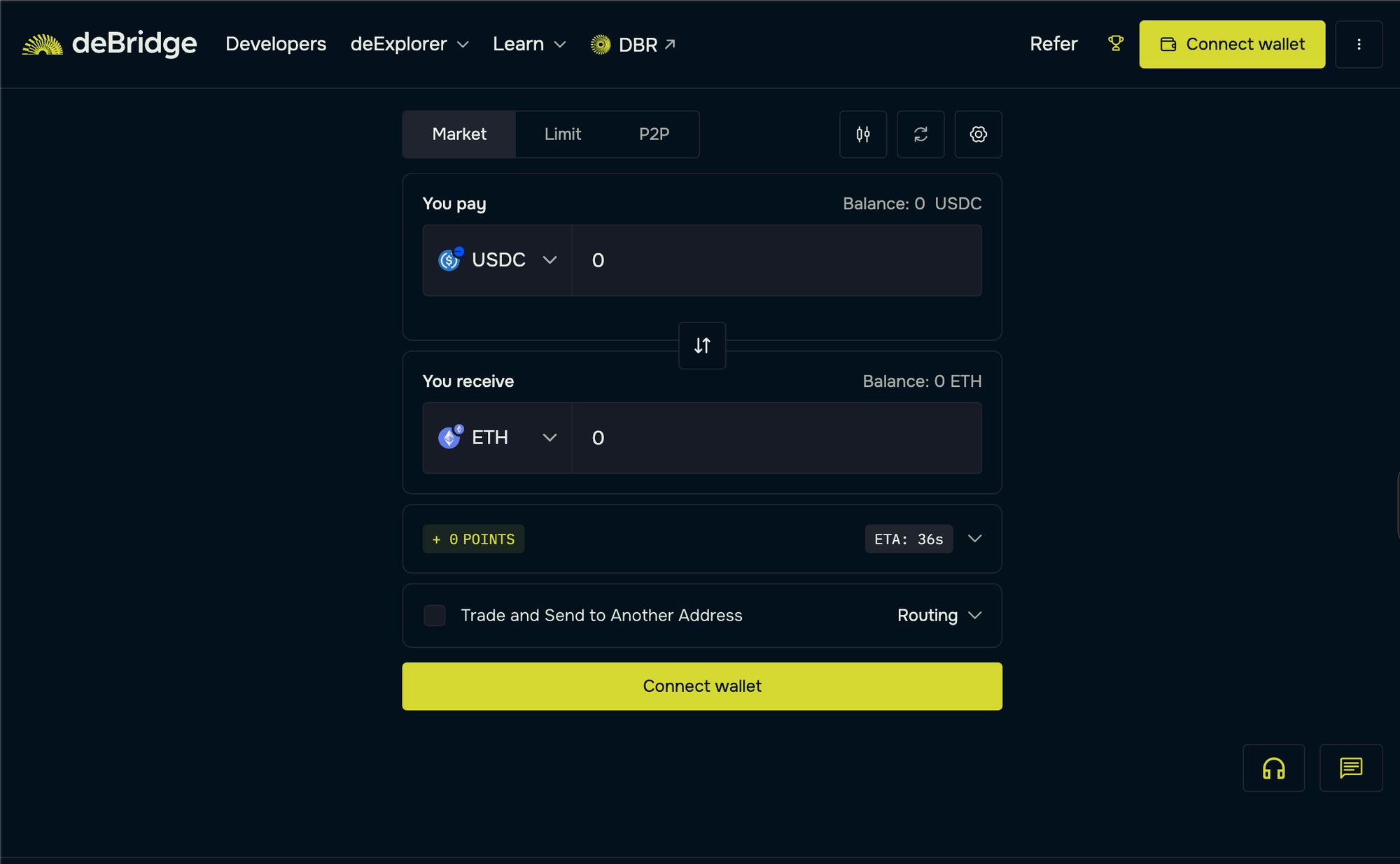
- Connect your Ethereum wallet address as the source and your Solana wallet address as the destination.
- Select the source chain (Arbitrum) and asset you want to bridge. Here, we will bridge USDC to SOL.
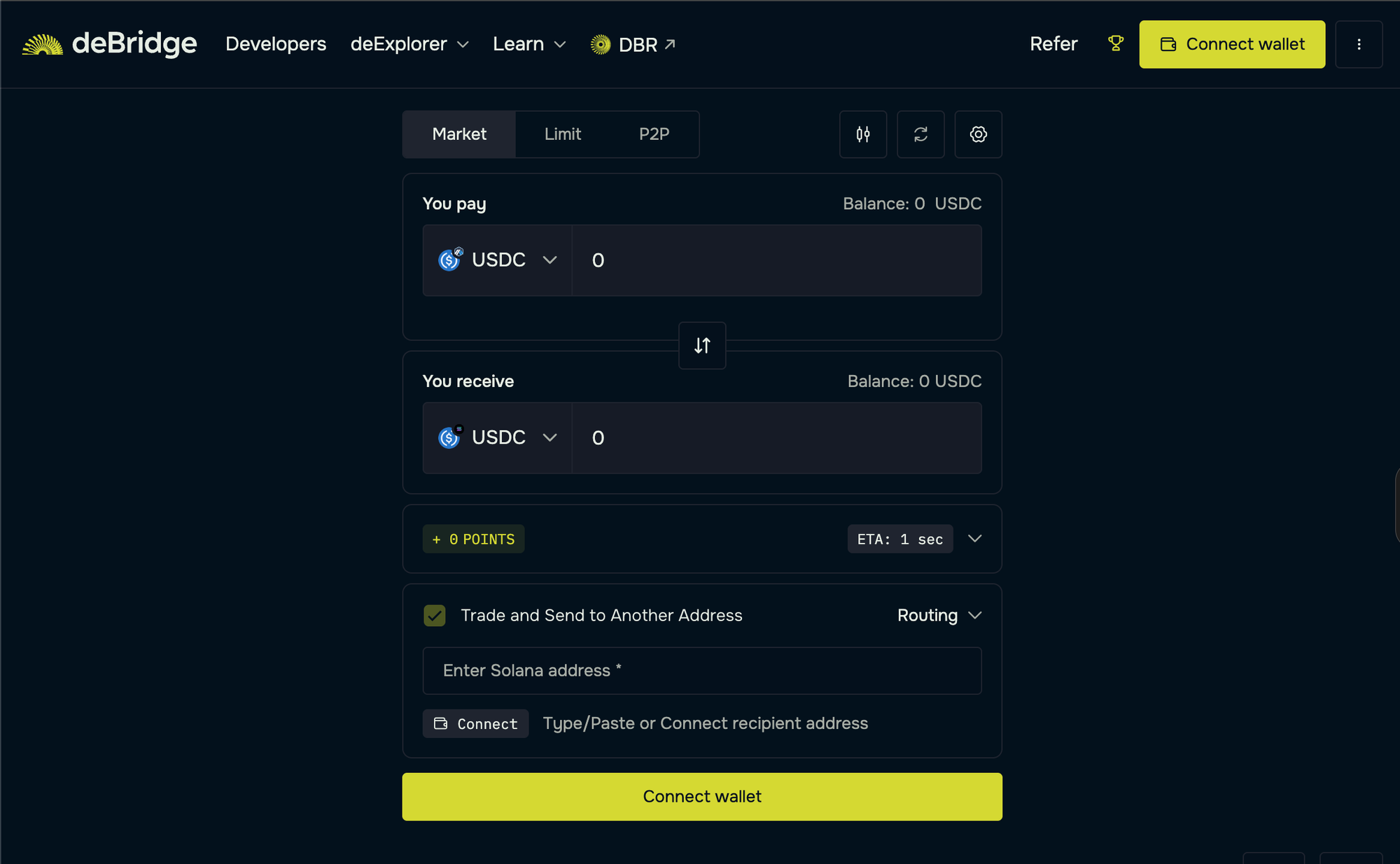
- Next, select Solana as the destination chain and the token you want to receive. Here, we will select SOL as the asset on the target chain.
- Enter the quantity in USDC and review the transaction details.
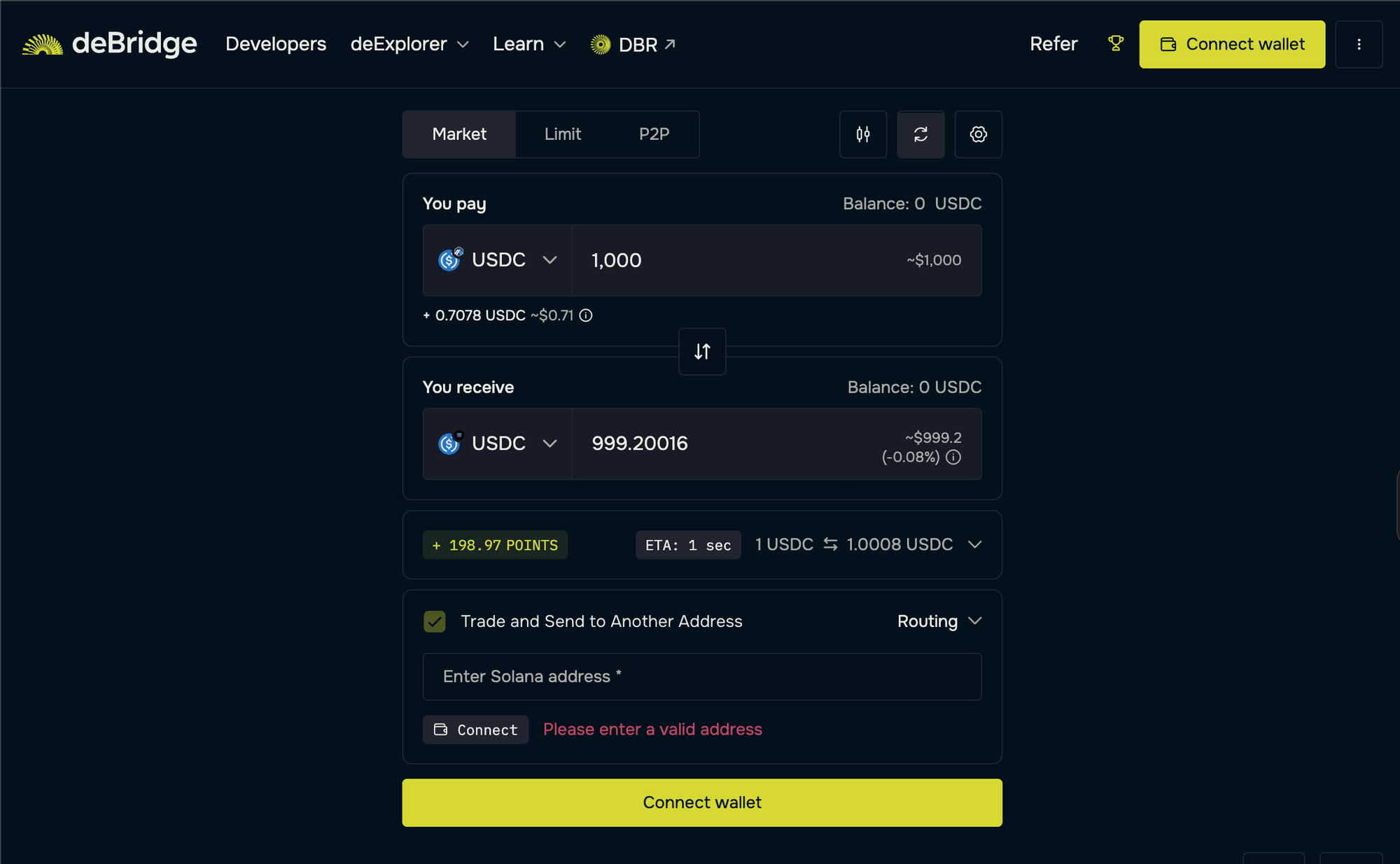
- As the final step, confirm the trade, pay gas fees in ETH, and sign the ensuing transactions to receive crypto in your Solana wallet.
The bridging process takes 1-2 seconds, and you'll see the "Order Fulfilled" pop-up indicating that the bridged assets (SOL) have been received in your Solana wallet.
Technical users can also inspect the transaction(s) on the Solana mainnet explorer.
How to get USDC on a Solana wallet from fiat on-ramps
Popular wallet apps such as Solflare and Phantom make it simple to convert your local currency (e.g., CAD) to USDC on Solana via fiat on-ramps like Apple Pay, credit card, and debit card deposits. Alternatively, you can send USDC to your Solana wallet using your preferred cryptocurrency exchange.
How to buy USDC on Solflare Wallet
- Download Solflare wallet
- Set up a Solana wallet and store your credentials in a safe place
- Click on “Buy” and select USDC on the Solana network
- Complete your KYC, enter the amount of USDC, and pay via your preferred mode of payment.
- Provide your payment information to receive USDC in your Solflare wallet.
You can also swap USDC for any other asset on Solana within the Solflare wallet.
How to buy USDC on Phantom Wallet
- Download Phantom wallet
- Set up a wallet and store your credentials in a safe place
- Click on “Buy,” select Solana chain, and USDC as the asset
- Choose Apple Pay, Google Pay, or Credit & Debit cards as your preferred payment method
- Provide your payment information to receive USDC in your Phantom wallet.
Note: You can also use Coinbase wallet and other digital wallets for fiat on-ramps.
deBridge Security Summary
Security is a top priority for bridging, and deBridge is designed with that focus.
Unlike traditional crypto bridges that pool user funds into smart contracts or liquidity pools, deBridge uses a 0-TVL architecture that bypasses liquidity pools. This ensures there is no attack surface for exploits such as pool draining or front-running.
Today, it’s trusted by major ecosystem players, including Phantom, MetaMask, Trust Wallet, Jupiter Exchange, and more. deBridge gives you the confidence needed to move assets across 25+ chains in seconds.
Why Users Trust deBridge?
deBridge has been trusted by 1.5M+ users for bridging to anywhere in DeFi. Here's why:
- 0-TVL = no pooled liquidity risk
- Audited 30+ times, zero security incidents
- Funds delivered before finalization
- Trusted by MetaMask, Phantom, and Jupiter
Conclusion
Bridging from Arbitrum to Solana unlocks faster execution, low fees, and access to high-performance DeFi and trading use cases that aren’t feasible on Arbitrum alone. However, traditional USDC→SOL bridges often introduce risks through wrapped tokens, liquidity pools, and slow settlement.
deBridge stands out as the optimal solution, offering real-time settlement, native asset transfers, and a 0-TVL architecture, delivering the fastest, safest, and most seamless way to move value from Arbitrum to Solana.